Selected WorkProject 072026
Estimation Operations Workspace
Central workspace within the broader estimation platform for reviewing projects, documents, scope intelligence and estimating workflows.
01Context
- 01Client
- Australian construction services business
- 02Environment
- Production
- 03Status
- Active / Ongoing
- 04Part of
- Construction Estimation Platform
- 05Disciplines
- Web Application
02Problem
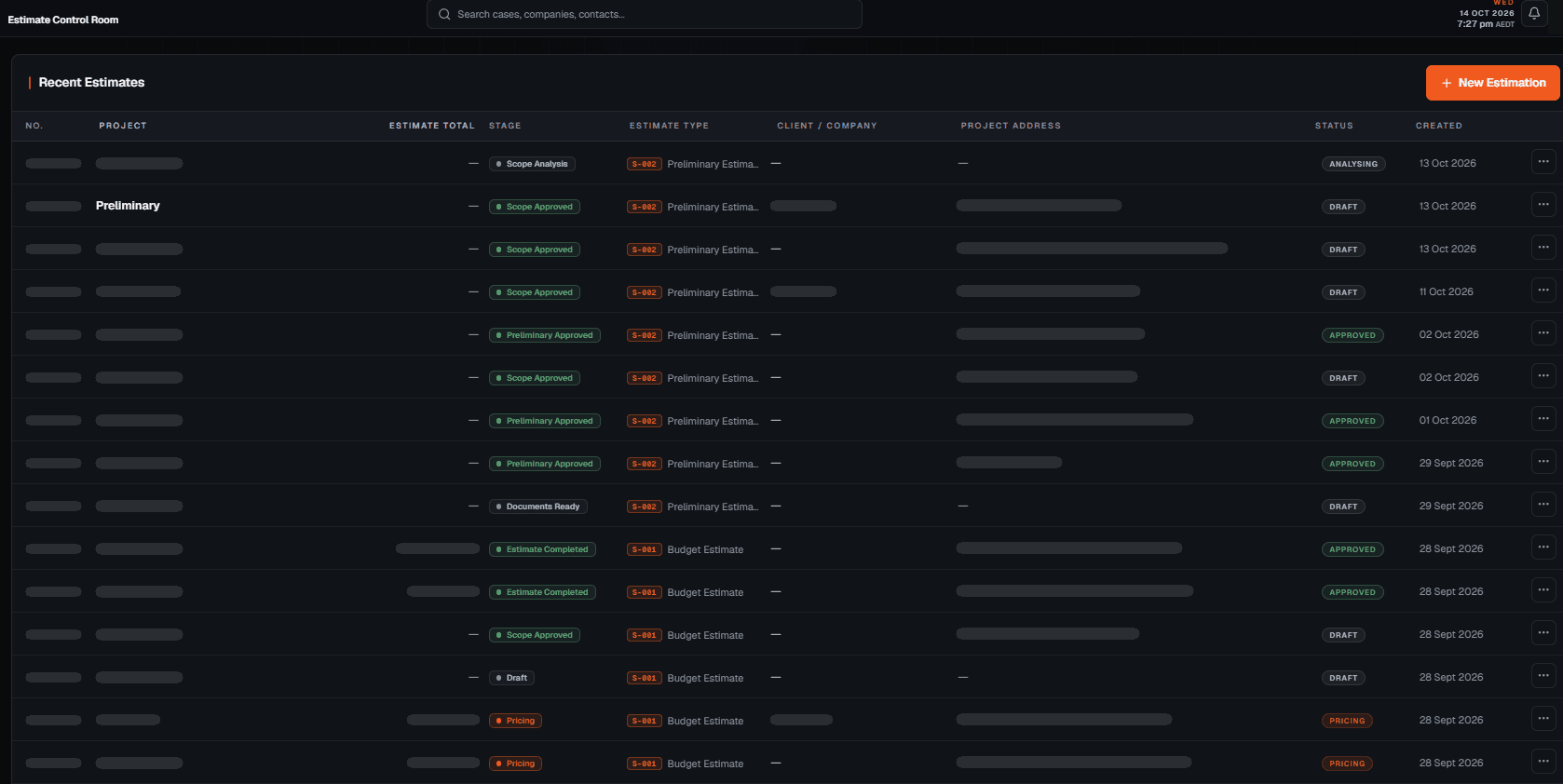
Estimating work needed one place to see where each project sat. Documents, scope, pricing and approval status were otherwise checked across separate tools.
03Build highlights
The primary interface of the estimation platform: one record per estimate, with Overview, Documents, Intelligence and Estimate views and explicit workflow stages.
03Overview
The interface the estimating work happens in.
The Estimation Operations Workspace is the primary interface within the Construction Estimation Platform. It brings project records, documents, scope intelligence, review and estimating workflow states into one place.
The team works from a single record for each estimate instead of moving between separate tools.
03Workspace
One estimate, four views.
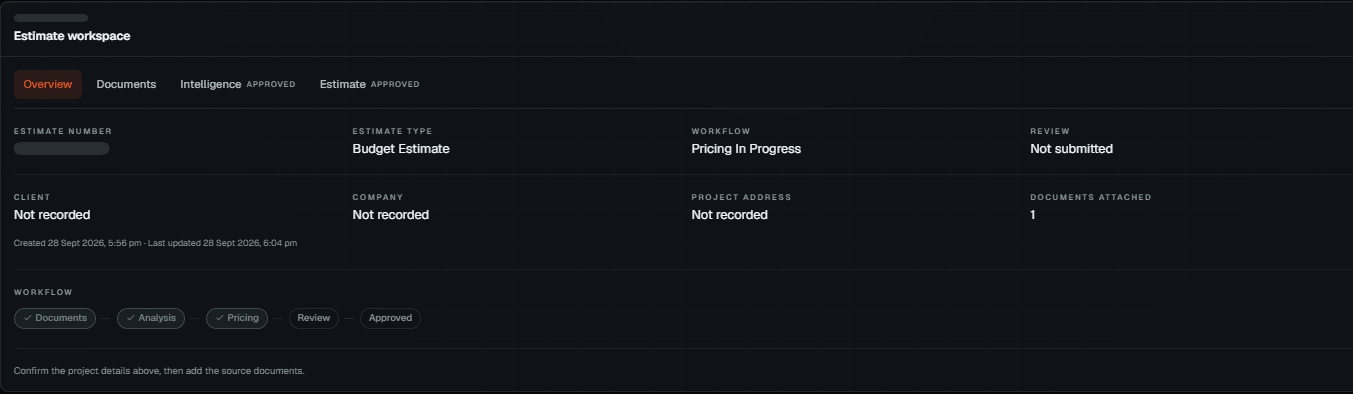
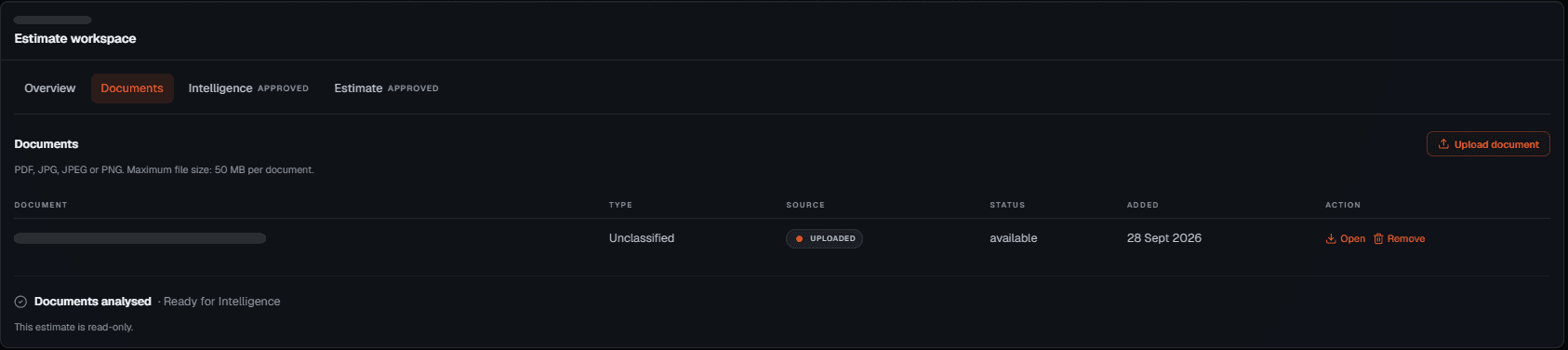
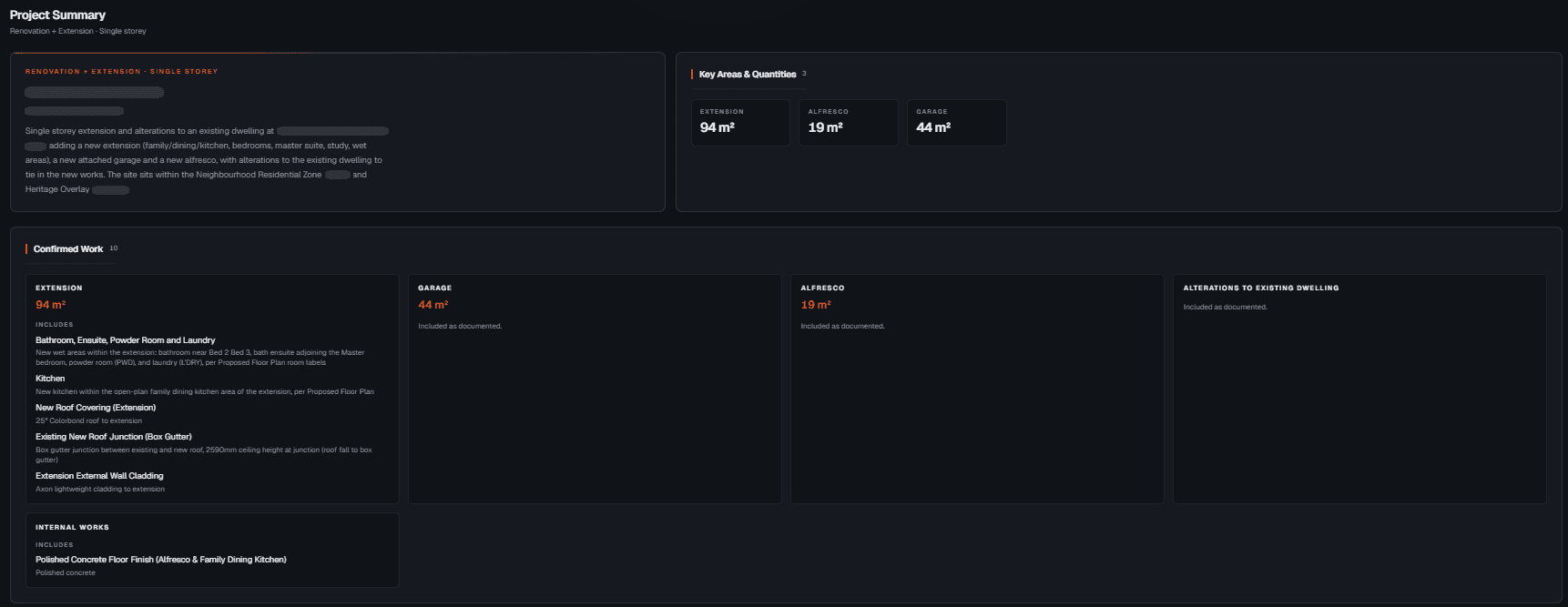
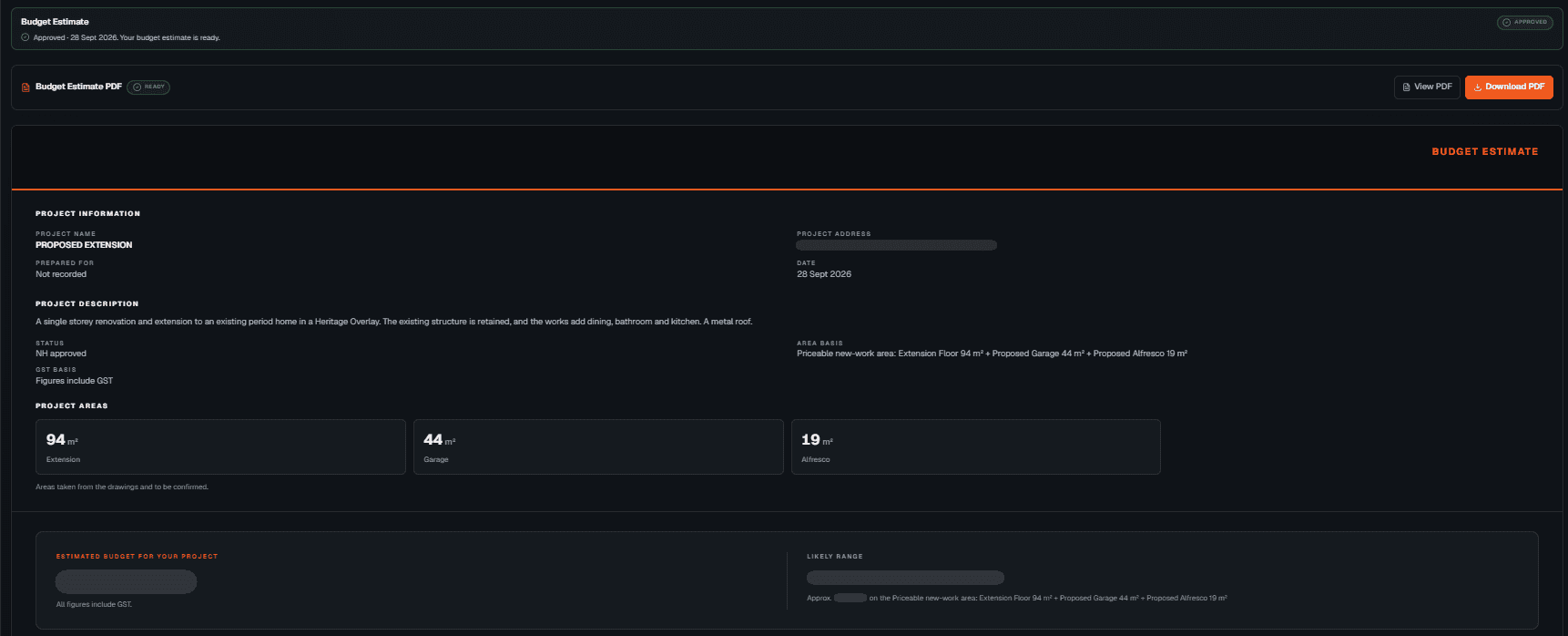
Each estimate opens on an overview of its type, workflow state, review and approval status. Tabs hold its documents, its scope intelligence and the estimate itself.
01Overview
Estimate type, workflow state, review status and the stage track at a glance. 02Documents
Project documents are uploaded, prepared and analysed before scope intelligence. 03Intelligence
Project scope, key quantities and confirmed work, ready for review. 04Estimate
The structured estimate output, prepared from the approved scope.
03Workflow States
Where every estimate sits.
Estimates progress through defined stages. Review and approval are explicit steps in the workspace, so scope is approved before pricing and estimates are reviewed before they are delivered.
Stages
- 01Documents
- 02Analysis
- 03Pricing
- 04Review
- 05Approved
03Design Focus
Fewer places to check.
Each estimate’s overview answers the questions that come up while it is in progress: what has arrived, what has been analysed, what is approved and what comes next.
Visible on every estimate
- Estimate type
- Workflow state
- Review status
- Documents attached
- Approved scope
- Estimate output
03Engineering Detail
What the system does.
A centralized operational workspace built to connect estimating workflows, document readiness, project information, review processes, and internal management activities.
Key capabilities
- Project intake monitoring
- Workflow status management
- Document processing visibility
- Estimate preparation workflows
- Internal review and approval
- System integrations
- Operational status tracking
- Centralized project information
Technology
- Next.js
- TypeScript
- Supabase
- n8n
- GoHighLevel
- SharePoint
Implementation status
Production · Active
The primary interface of the Construction Estimation Platform.
04Result
Less context switching, clearer project review, and approval steps that are visible before pricing and delivery.
Operational value
- Workflow view
- One workspace
- Project status, documents, scope and estimating stages in a single interface.
- Context switching
- Reduced
- Fewer disconnected tools to check while an estimate is in progress.
- Project review
- Clearer
- Each estimate shows where it sits in the workflow.
05My role
What I was responsible for.
The workspace is part of the Construction Estimation Platform; the business and its estimating methodology remain with the client.
- Dashboard UX/UI
- Product UX
- Full-Stack Build
- Platform
- Web Application
Contact
Have a workflow, dashboard or CRM that needs fixing? Let’s talk.
Available for new projects
Tell me about the operation, the systems involved and where the work gets stuck. A short call is usually enough to see whether I can help.